TABLE OF CONTENTS
- What are Contests and Voting?
- Are Contests included in my Driftscape Plan?
- Types of Contests
- Examples of Use Cases for Contests
- How Contests Work
- Next Steps
Contests and Voting in Driftscape allow organizations to run interactive campaigns—such as prize draws, voting challenges, and promotional competitions—directly inside the mobile app and web app. Contests can help increase visitor engagement, highlight participating POIs, gather community feedback, and encourage exploration across an area. All contest entries are stored in the Driftscape CMS and can be exported for selection and reporting.
Once the Contests feature is enabled on your plan, administrators can create contests directly in the CMS and attach them to a POI, sub-organization, or an entire organization.
Don’t have contests available on your current plan? Contact your sales representative, or email sales@driftscape.com to get started.
What are Contests and Voting?
A contest is an activity/draw/vote that visitors can enter through a POI in the Driftscape app. Contests can collect user information, require physical presence at a location, and allow for single or repeated participation depending on the settings you choose. Organizations view all entries in the CMS and contact winners manually.
Inside Driftscape you can run three types of contests: Prize Draw Contests, POI Voting Contests and List of Voting Contests.
Contests appear inside POIs as a dedicated buttons, beneath the POI description. The button text displayed is dictated by the type of contest you are running (see Types of Contests)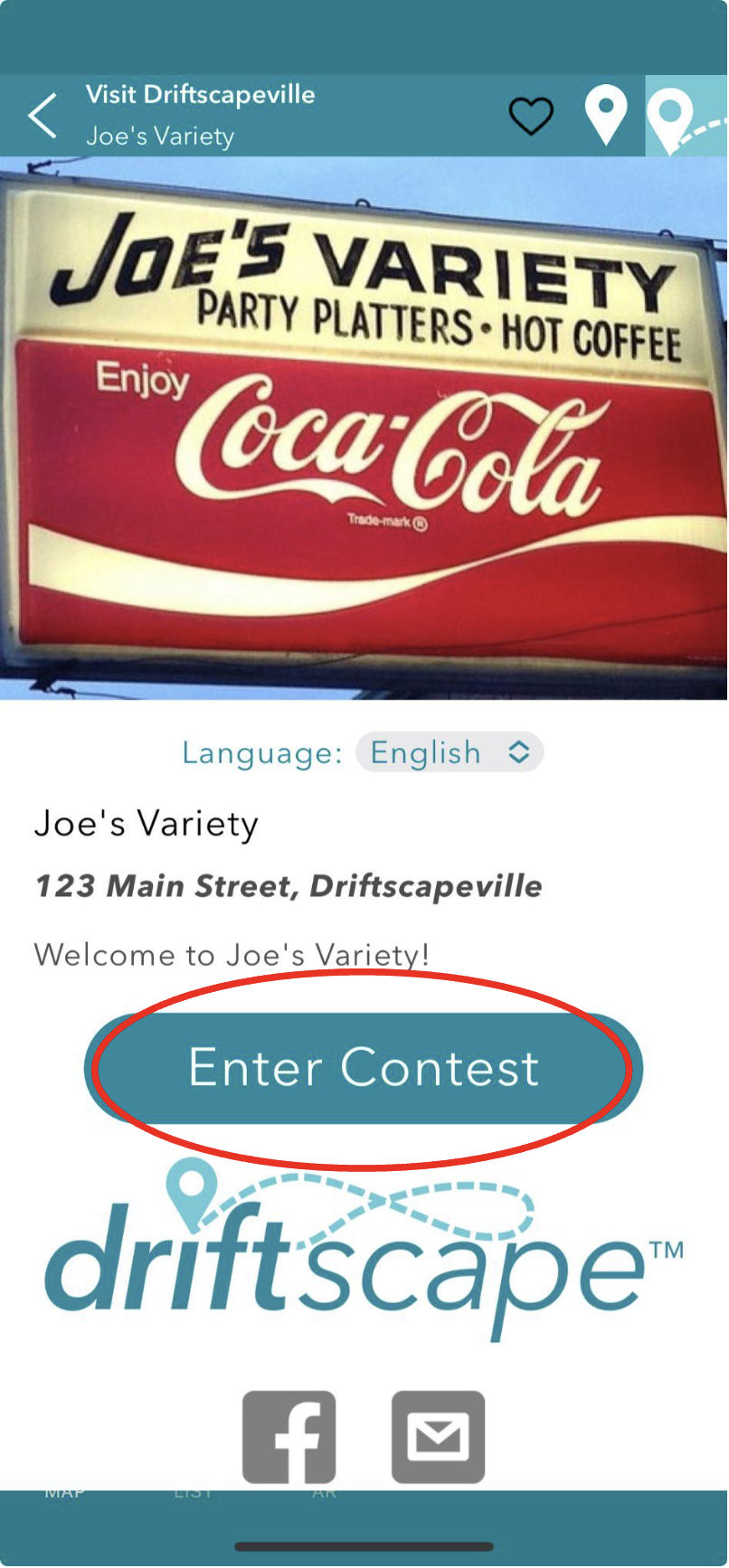
Visitors can also browse all active contests through the organization’s “Enter Contests” menu in the app.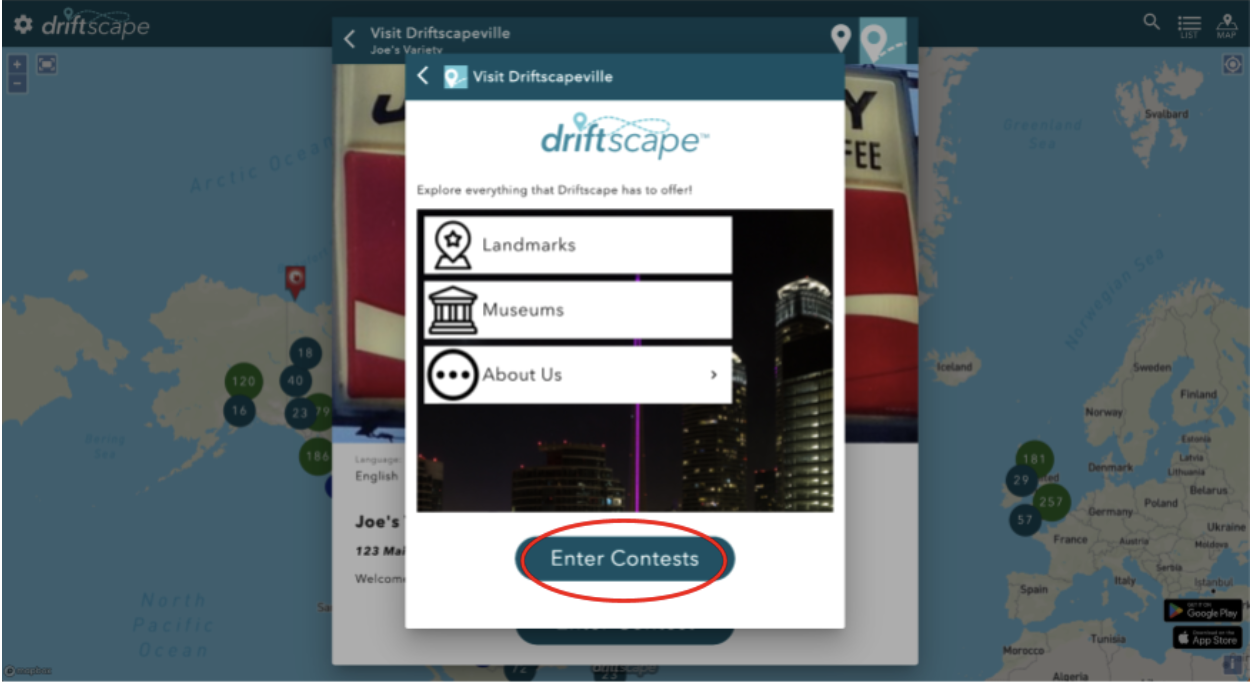
Are Contests included in my Driftscape Plan?
You can determine if Contests are enabled on your account by editing the content for an organization/layer in your plan:

The Contests link will be available if Contests are part of your purchased Driftscape plan. If your plan includes Contests and the button is not displayed, then submit a ticket and we will add that for you. Customers who had the previous Contests features can request the new system be activated in their account, and they can reimplement them to provide a more enhanced user experience.
Starting in 2026, all new Driftscape sales plans include unlimited Points and Rewards, Coupons, and Contests by default.
Types of Contests
Contests can be designed in three formats depending on whether you want users to enter a draw, vote for their preferred POI, or vote on an option from a custom list.
1. Prize Draw Contest
Use this type of contest to encourage users to enter for a chance to win a prize. Visitors tap to enter, submit any required information, and receive a confirmation screen. All entries are recorded for manual winner selection.
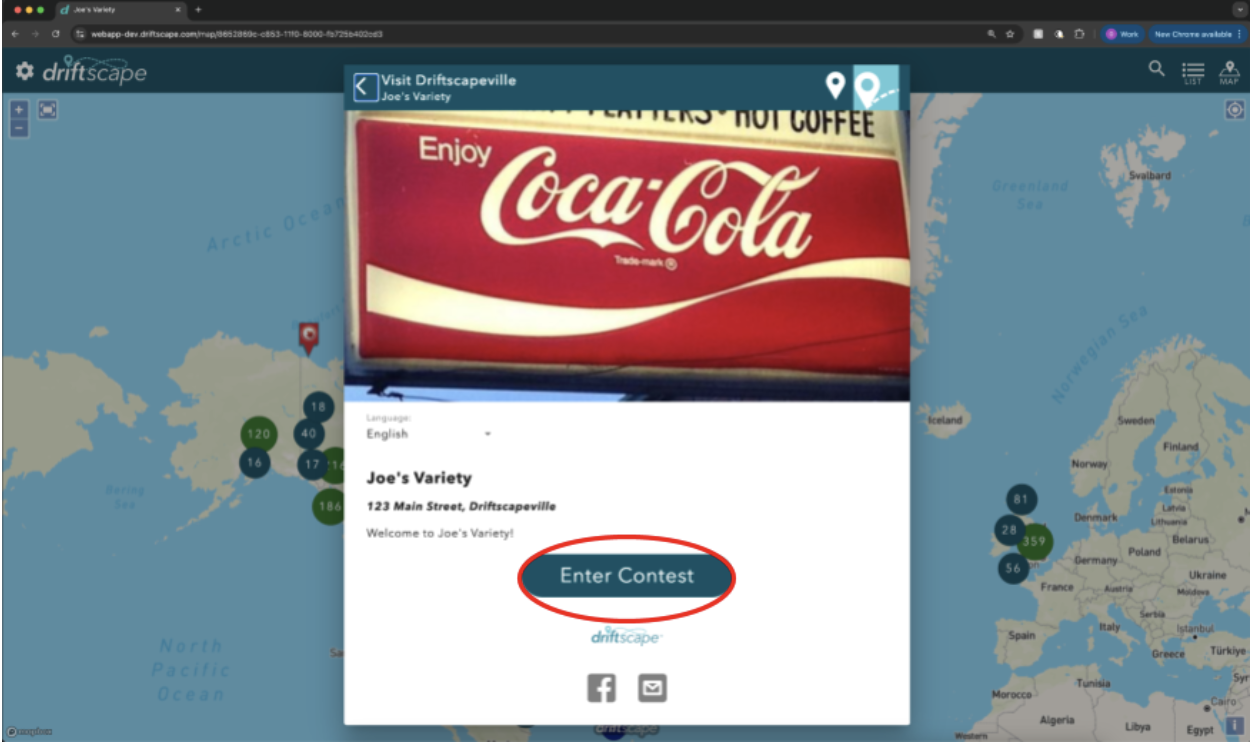
What users see when a Prize Draw Contest is associated with a POI
2. POI Voting Contest
This type of contest allows visitors to vote for Points of Interest you have public in the app—such as “Best Restaurant,” “Favourite Shop,” or “Top Attraction.” When a POI Voting Contest is associated with a POI in the Driftscape app, users can vote for that POI simply by tapping the “Vote for This” button.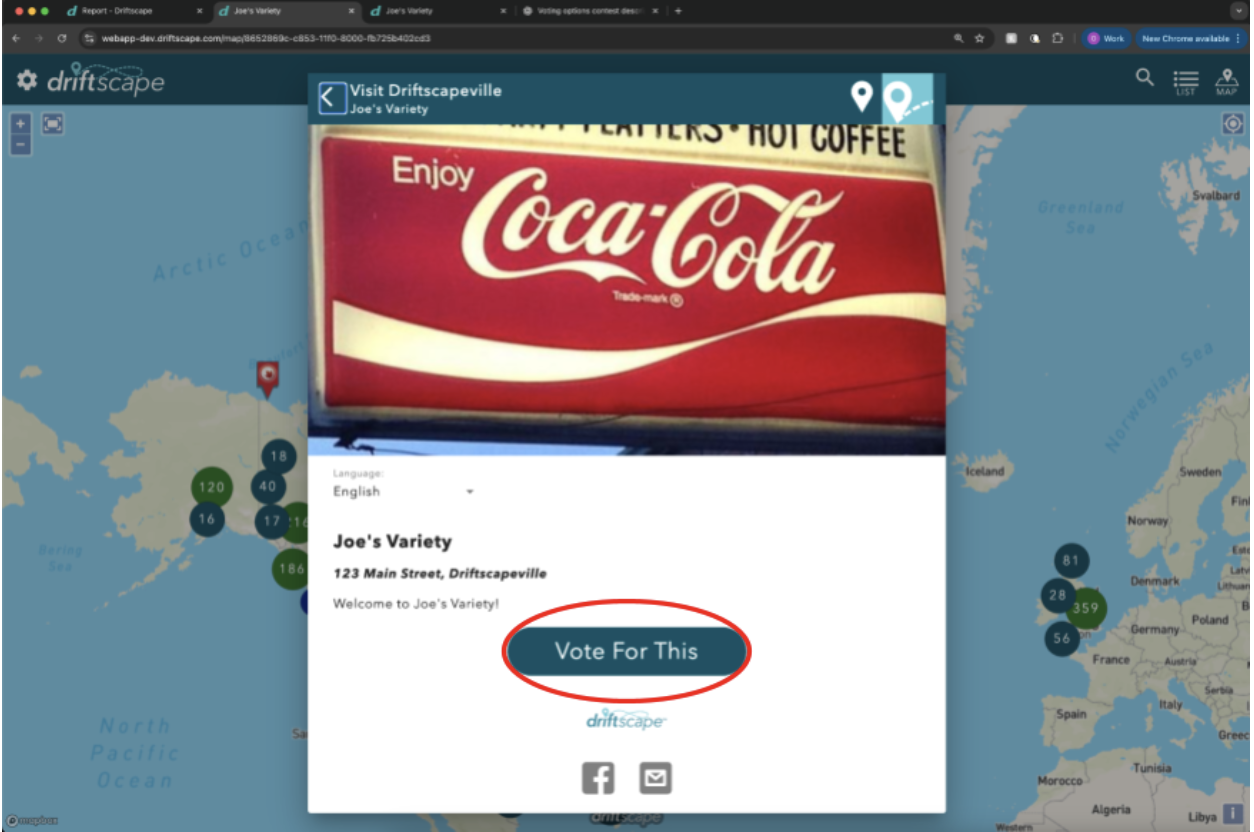
What users see when a POI Voting Option is associated with the POI
3. List of Voting Options Contest
This contest type allows organizations to create a fully customized set of choices for users to vote on. Unlike POI Voting Contests, this does not require users to vote for a point of interest. Instead organizations can create a list of anything they would like and have their visitors or users vote on these options. (e.g. Vote for Our New Mascot Name!). Users will see “Enter Your Vote” when a List of Voting Options Contest is added to the application.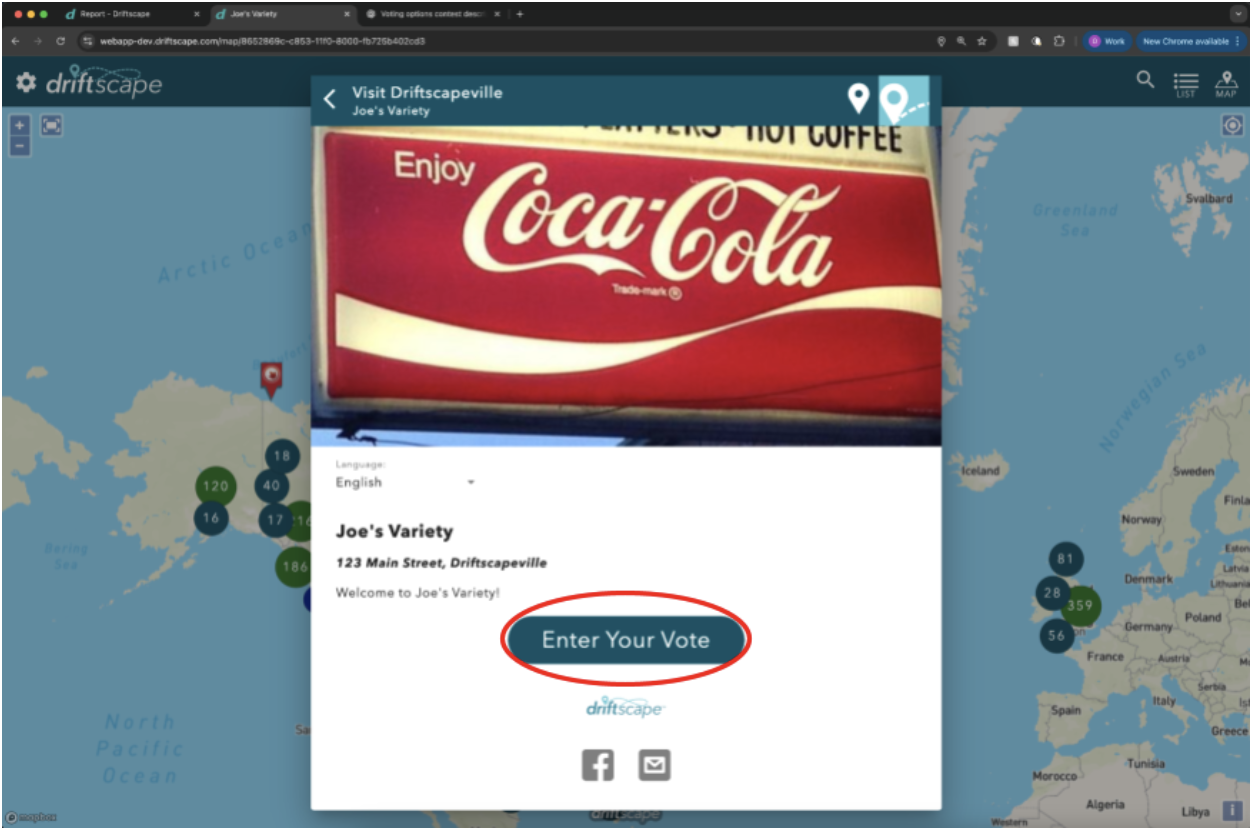
What users see when a List of Voting Options Contest is associated with a POI
Examples of Use Cases for Contests
Use Case 1: Drive Visitors into Businesses with a Prize Draw Contest
A BIA wants to encourage people to explore local shops, so they associate a Prize Draw Contest with every participating business in Driftscape. When a visitor stops by a business, they can submit an entry into the prize draw. The more businesses they visit, the more entries they can earn.
This creates a simple and effective incentive for visitors to explore multiple locations while supporting local businesses.
Use Case 2: Choose the Community’s Favourite with a POI Voting Contest
A tourism district wants to highlight the best patios in the area, so they run a “Favourite Patio of 2025” contest. Each participating restaurant is added as a POI, and the contest is associated with each location. Whenever a visitor votes on a patio’s POI, that restaurant earns a vote in the contest.
Throughout the season, votes are tracked automatically. At the end of the campaign, the tourism district can share the results with their audience and celebrate the community’s top-rated patio.
Use Case 3: Name Our Cities Mascot with a List of Voting Options Contest
A city wants residents to help choose the name of their new mascot. They create a List of Voting Options contest with several name choices (e.g., “Maple Moose,” “River Raccoon,” “Skyline Squirrel”). The contest is then associated with multiple POIs across the city—such as parks, community centres, and attractions.
Whenever users visit or view one of these POIs in the app, they can cast a vote for their favourite mascot name. Once the contest ends, the city announces the winning name based entirely on votes gathered from real visitors in Driftscape.
How Contests Work
Contests are added in the CMS under the Contests menu.
Visitors enter the contest through the Driftscape mobile app or web app.
Organizations receive an email notification for each entry.
Entries appear in the All Contest Entries report and can be exported as a spreadsheet
Organizations manually select and notify winners.
Next Steps
To help you set up and test your contests, continue with the following articles:
Implementing Contests - Step-by-Step setup instructions in the CMS
Testing Contests - how to verify entries, location requirements and reporting before launch
Was this article helpful?
That’s Great!
Thank you for your feedback
Sorry! We couldn't be helpful
Thank you for your feedback
Feedback sent
We appreciate your effort and will try to fix the article